
Do I need special hardware?
No. Humming runs entirely in modern browsers. A built-in laptop mic works for pitch tracking, but an audio interface will yield the cleanest harmonies.
Browser-based vocal harmony lab
Humming pairs accurate pitch analysis with a responsive harmony engine so you can test third, fourth, and fifth intervals, rehearse choir parts, or audition background vocals in minutes.
Instant harmony building
Upload or record a vocal stem and audition third, fourth, or fifth intervals without opening a DAW.
Key and pitch intelligence
Automatic key detection, live microphone pitch monitoring, and visual guides keep practice grounded in theory.
On-device processing
Everything runs in the browser via WebAudio so creative work stays fast, private, and installation-free.
Introducing the interface
Humming's workspace mirrors a DAW timeline without the setup overhead. Visual guidance, responsive controls, and contextual tips keep you in the creative flow whether you're rehearsing choir parts or sketching backing vocals.
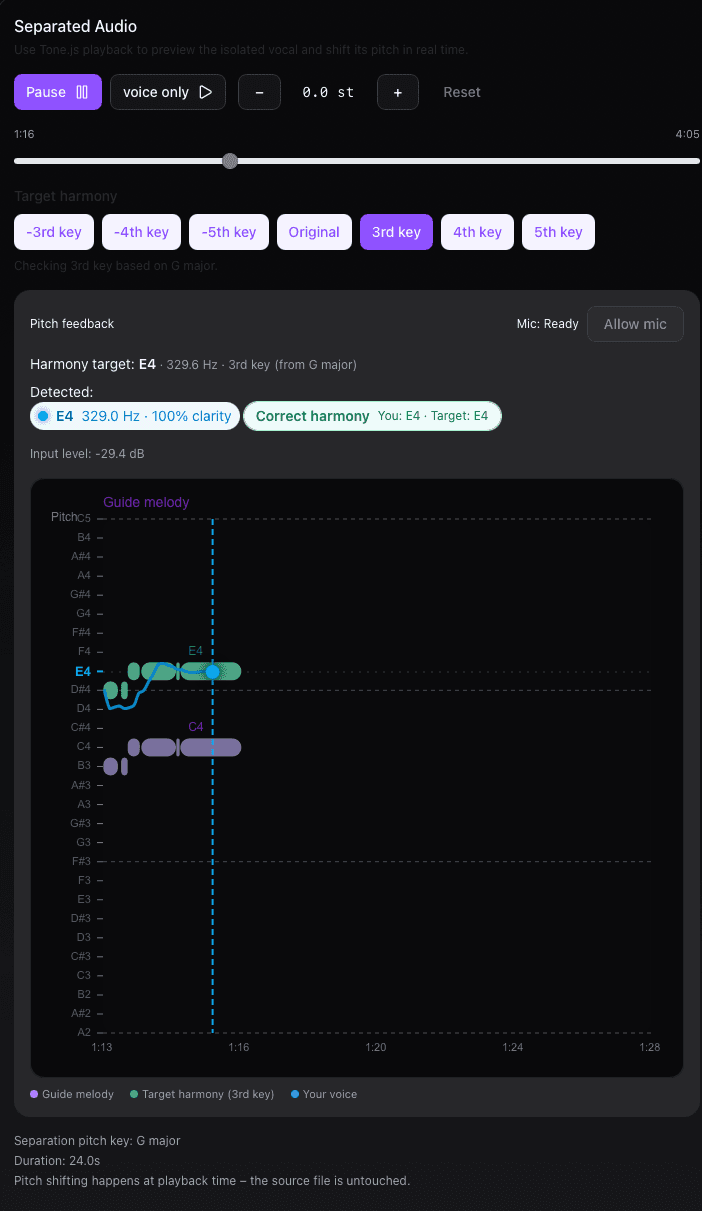
Layered workspace
Separate vocal, harmony, and reference lanes keep your edits organized while you experiment with stacked intervals.
Live pitch radar
Color-coded cents deviation highlights which notes need attention so practice sessions stay intentional.
Preset switching
Toggle between saved thirds, fourths, and fifths in a click to hear how different voicings complement your lead.
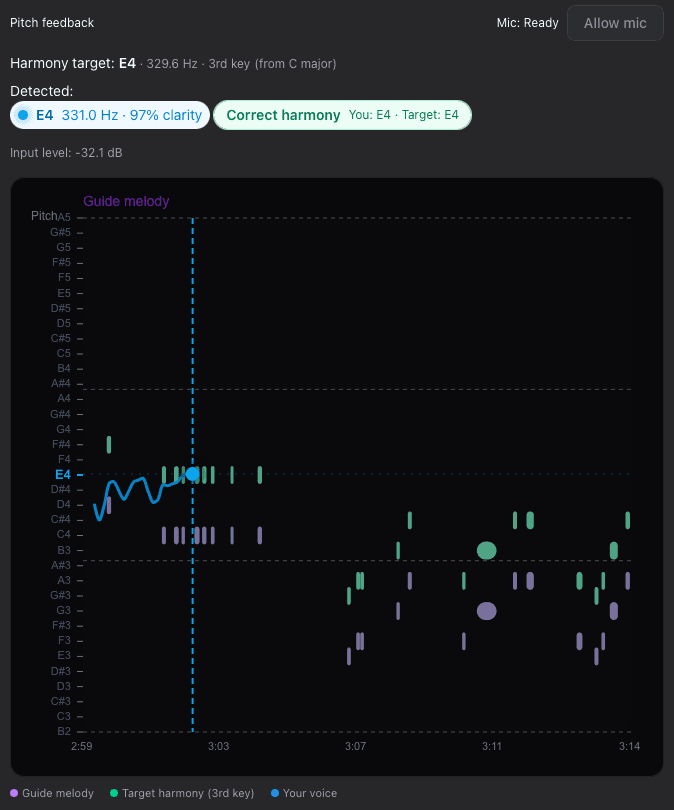
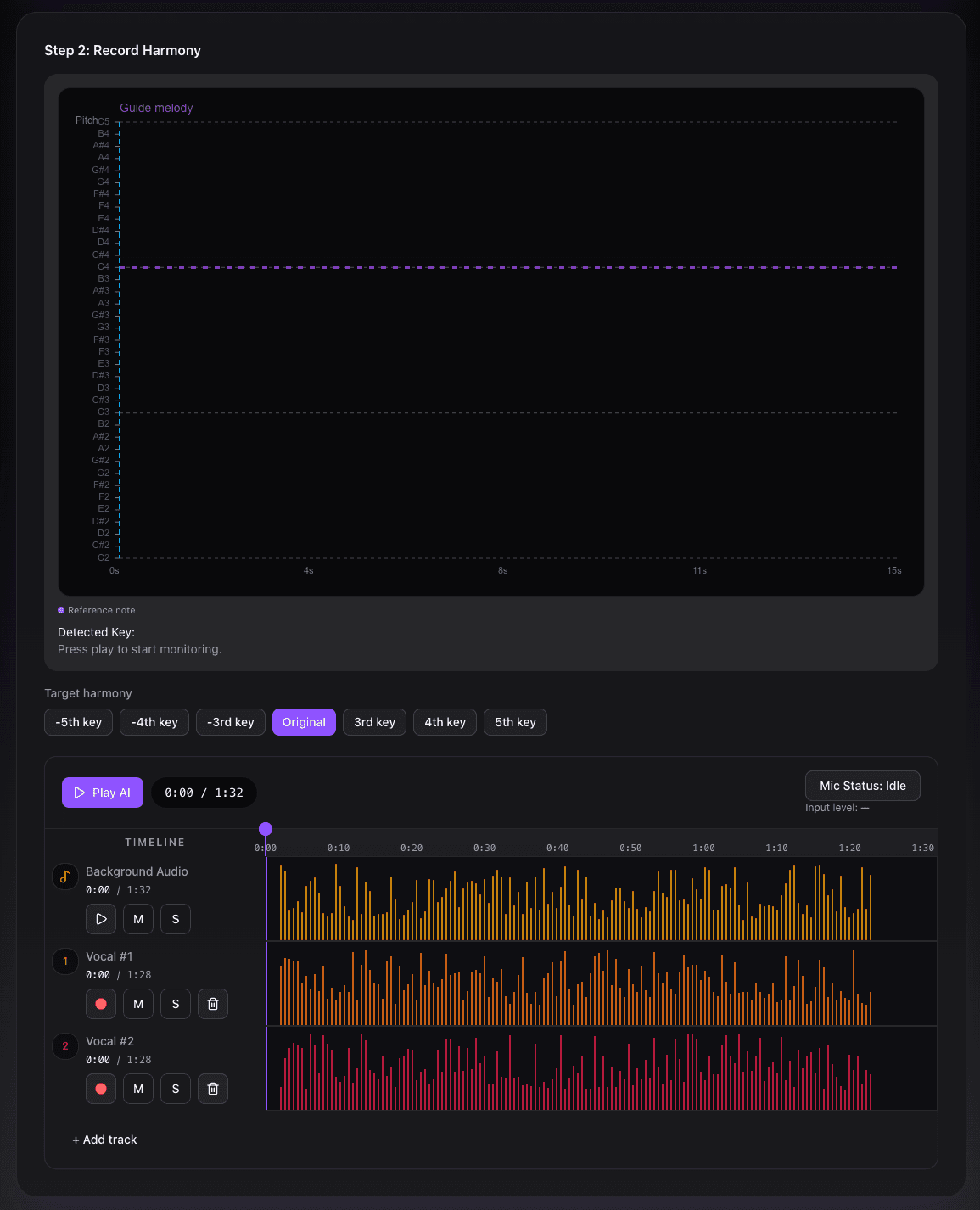
Guided recording
Capture takes while following the guide melody, monitor mic status, and stack multiple vocal lanes without losing the key reference.
FAQ
Everything you need to know about compatibility, teaching use cases, and how Humming protects your recordings.
No. Humming runs entirely in modern browsers. A built-in laptop mic works for pitch tracking, but an audio interface will yield the cleanest harmonies.
Original stems stay untouched. The harmony engine layers non-destructive pitch-shifted voices so you can download or rehearse ideas safely.
Educators use Humming to demonstrate intervals, show real-time cents deviation, and help students internalize chord tones between lessons.
HarmonyMaker
Craft multi-part harmonies with real-time pitch intelligence and responsive audio tools.